


HOTEL BOOKING SCAM ALERT THROUGH HOTEL FACEBOOK PAGES
7 Smart Tips to Identify Scams and Book Safely with KK Sapa Hotel
Booking a hotel online offers convenience for travellers, especially when you can communicate directly with hotels through Facebook and other social media platforms.
However, not every Facebook Page or account providing booking information is an official hotel channel.
Brand impersonation, copied images, unverified promotional offers, or requests for payment through unverified accounts can expose customers to potential risks.
At KK Sapa Hotel, we want every guest to enjoy a safe and reassuring booking experience from the very beginning.
In this article, discover the warning signs to look out for and how to verify information before making a reservation.
1. A Facebook Page with a Verified Badge May Not Necessarily Be an Official Channel
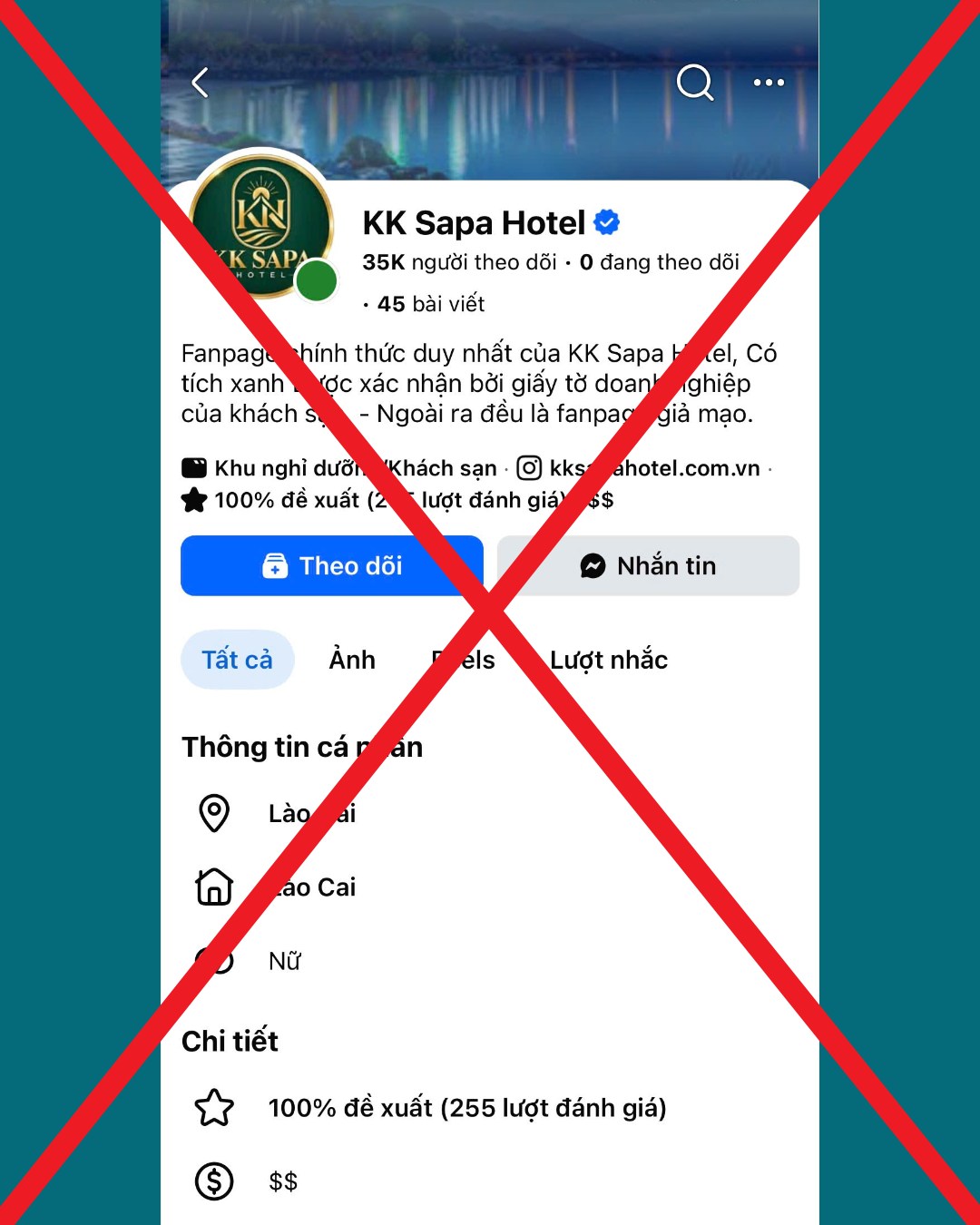
Some customers assume that a Facebook Page with a blue verified badge (Verified Badge) must be the hotel’s official page.
However, a verified badge should not be used as the sole factor when verifying a Facebook Page.
Meta offers different verification options, including Meta Verified for businesses through a paid subscription. Therefore, you should also check the page’s background and activity information before making a transaction.
🔍 Check the Facebook Page Name Change History
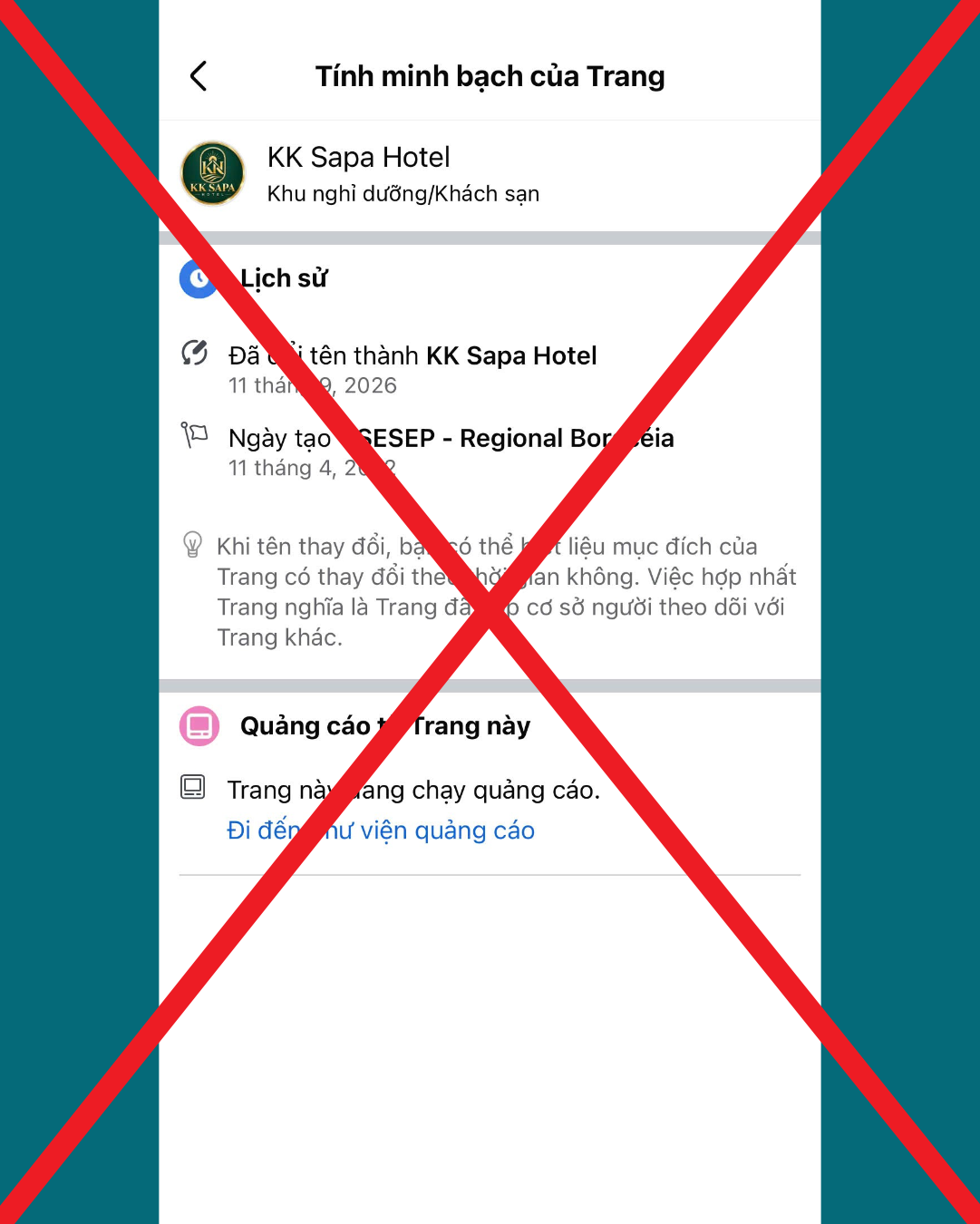
Visit the Page Transparency section on Facebook and check:
- The current Facebook Page name.
- The page’s name change history.
- How long the page has been active.
- Information about the page’s management, if available.
- Whether the Facebook Page information is consistent with the hotel’s official website and other social media channels.
A Facebook Page that has changed its name is not necessarily fake. However, if its name change history does not align with the current hotel brand, you should conduct further verification before making a reservation or payment.
✅ How to Verify the Official KK Sapa Hotel Facebook Page
- Visit the official KK Sapa Hotel website.
- Find the Facebook Page link provided on the website.
- Compare the page name, images and contact information.
- Check the Facebook Page’s name change history.
- Contact the hotel through its official hotline if you have any concerns.
Do not simply ask: “Does the Facebook Page have a verified badge?” Check whether your booking information has been confirmed by the official hotel.
2. Unusually Low Room Rates or High-Pressure Promotions
An attractive promotional offer does not necessarily mean it is a scam. Hotels may introduce different offers based on the season, customer segments or distribution partners.
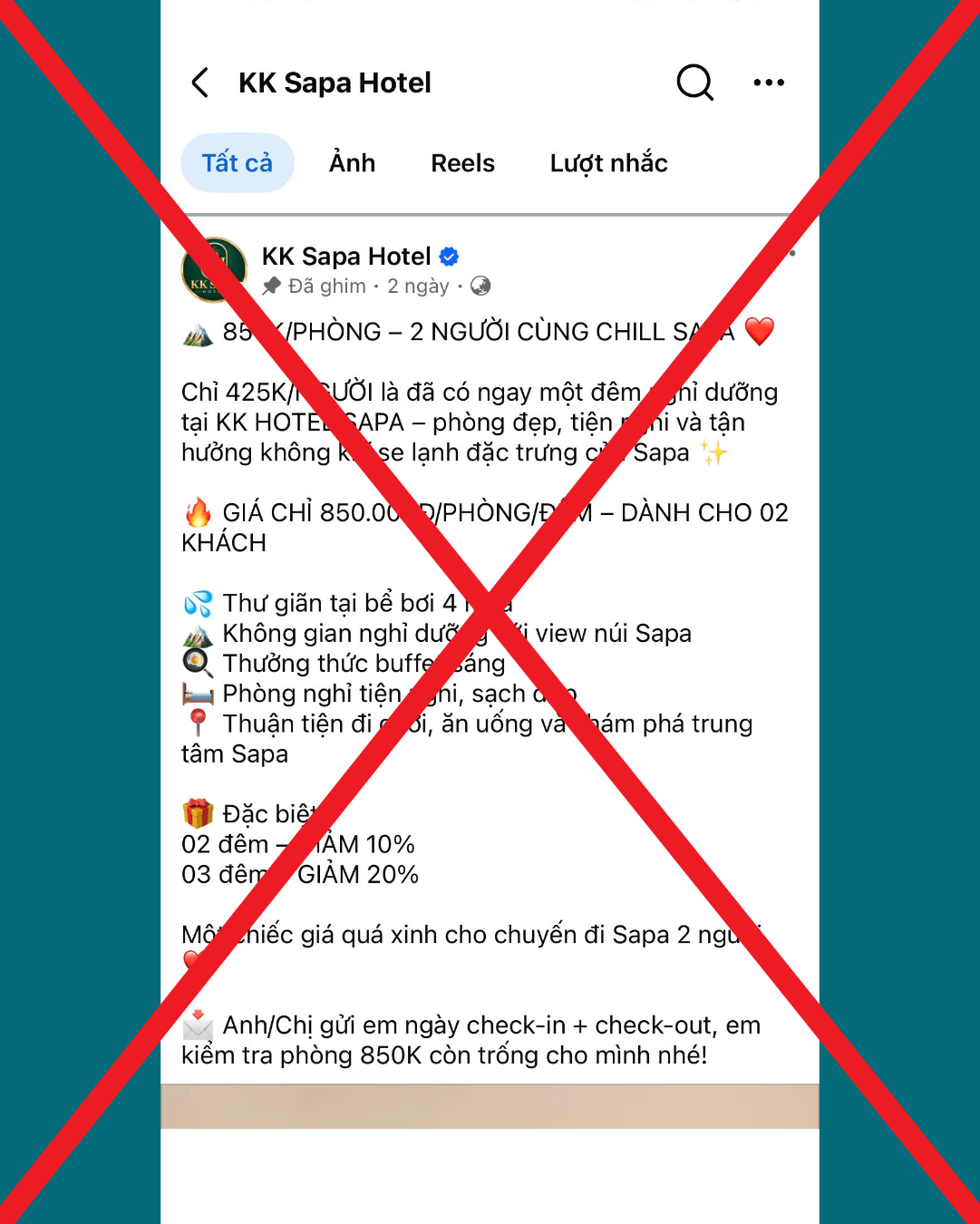
However, you should exercise caution when encountering the following situations:
- Room rates that are unusually low compared to official channels.
- Promotions that cannot be verified.
- Requests for immediate bank transfers to secure a rate.
- Sellers pressuring you by claiming that rooms are almost sold out.
- Unclear cancellation or refund policies.
How to Check
Compare the room rate, promotion period, booking conditions and payment information with the hotel before proceeding with the transaction.
3. Carefully Check Payment Information
Bank account details should be verified before making a booking payment.
KK Sapa Hotel Payment Information
Account Holder: CÔNG TY CỔ PHẦN KK SAPA
Bank Account 1
- Account Number: 110608268888
- Bank: VietinBank Vĩnh Phúc
Bank Account 2
- Account Number: 5779666666
- Bank: Vietcombank Vĩnh Phúc
Important Notes Before Making a Bank Transfer
- Verify the beneficiary name.
- Check the account number and bank name.
- Confirm the information with the reservations team.
- Do not transfer money based solely on a screenshot of an account.
- Contact the hotel if you receive a request to change the payment account.
The account holder name, account number and bank details should be checked against your specific transaction confirmation.
4. Confirm Your Booking Through Official Email Addresses
A conversation on Facebook does not necessarily mean that your booking has been confirmed by the hotel.
To minimise misunderstandings, customers should request booking confirmation through official email addresses.
📧 Official KK Sapa Hotel Email Addresses
- reservation@kksapahotel.com
- info@kksapahotel.com
You can contact the hotel to:
- Check your booking status.
- Verify promotional offers.
- Confirm payment information.
- Clarify accommodation conditions.
If you receive an email from a different address, verify it with the hotel before making a payment or providing additional personal information.
5. Call the Hotel Through a Verified Official Hotline
One way to verify information directly is to contact the hotel using the telephone number published across its official channels.
📞 KK Sapa Hotel Hotline: +84 214 379 8888
Customers can cross-check this telephone number through:
- KK Sapa Hotel’s Google Maps listing.
- The hotel’s official website.
- KK Sapa Hotel’s official social media pages.
Consistent contact information across multiple channels gives customers an additional reference point when verifying booking details.
When Calling the Hotel, You Can Ask:
- Is this Facebook Page an official hotel channel?
- Has this promotional offer been confirmed by the hotel?
- Are the payment details correct?
- Has my booking been registered?
If you are unsure about your booking information, contact KK Sapa Hotel directly before making a bank transfer.
6. Do Not Click on Unverified Payment Links
Be cautious when receiving links that ask you to enter banking information, passwords or one-time passwords (OTPs).
Some warning signs include:
- Links sent from unverified accounts.
- Payment pages with unfamiliar domains.
- Requests for OTPs or confidential information.
- Senders pressuring you to take immediate action.
Do not share your banking password, OTP or confidential security information with others.
If you need to make a payment, verify the process with the hotel through an official channel.
7. Check All Booking Details Before Making Payment
Before completing a transaction, make sure you have received all the necessary information.
Booking Safety Checklist
☐ The hotel name and Facebook Page have been verified.
☐ Check-in and check-out dates are clear.
☐ The room type and number of rooms are correct.
☐ The room rate and booking conditions have been confirmed.
☐ Payment information has been verified.
☐ A booking confirmation email has been received.
☐ You can contact the hotel directly if needed.
BOOK WITH CONFIDENCE AT KK SAPA HOTEL
At KK Sapa Hotel, we encourage customers to proactively verify information through official contact channels before making a payment.
Official Contact Information
KK SAPA HOTEL
📧 Reservation: reservation@kksapahotel.com
📧 General Information: info@kksapahotel.com
📞 Hotline: +84 214 379 8888
🌐 Website: https://kksapahotel.com/
If you need to verify your booking, please contact the hotel directly for assistance.
CONCLUSION
Safe booking starts with verifying information.
Do not rely solely on a verified badge, attractive images or appealing room rates. Verify the Facebook Page, name change history, payment details and booking confirmation email before completing your transaction.
BOOK SMART. TRAVEL SAFE. ❤️
Share this article to help protect your friends and family when booking hotels online.